You can download the proof of tax collection report on your Indodax account with the following steps:
Visit https://indodax.com/ and login to your INDODAX account.
Go to Menu, click History, and select Tax Report.
Next, select the Year of the desired tax report period, then click Show Report.
Then, data in the form of final tax collection evidence from the selected time period will appear. Click Download Report to obtain the document in PDF format.
Crypto asset tax reports for the selected time period will be automatically downloaded and ready for use. (User with file sizes <50 MB will receive details of each transaction, while user with file sizes >50 MB will receive a summarized view).
Tax collection evidence for 2025 and beyond includes an additional Transaction Amount column to support several new calculations in accordance with PMK Regulation Number 50 of 2025.
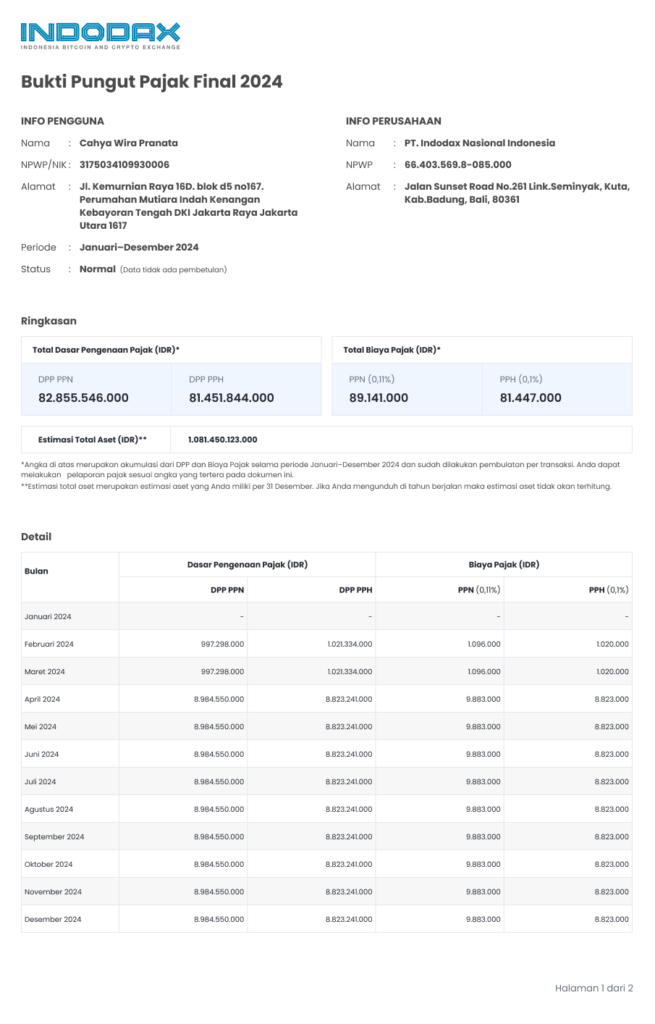
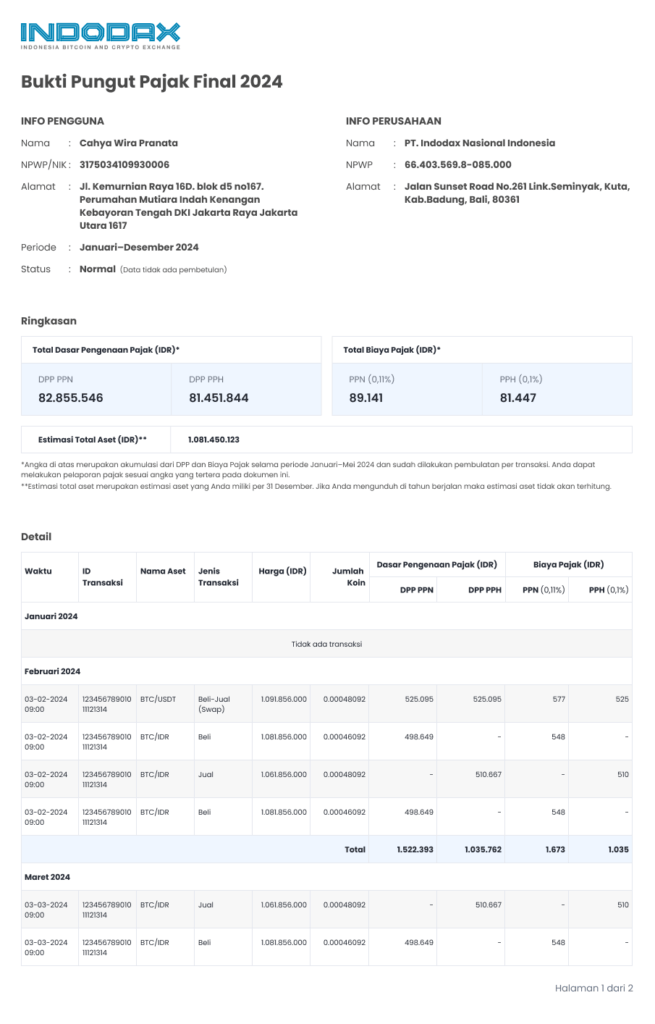
FAQ of Tax Collection Report
Q : Can I directly view the tax report for the entire year at once?
A : Yes, you can download the tax report for a 1 year period at once. However, the data for the ongoing month will be available on the 5th day of the next month.
Q : Can I download the tax report?
A : Yes, you can download the tax report for a 1 year period in PDF format.
Q : What transactions will be taxed and included on the tax report?
A : The type of transaction that is subject to taxation and included in the tax report is a transaction using the market Maker and Taker methods.
Q : What does the status in the PDF of the tax report mean?
A : The report's status is Normal, indicating that it is not a tax correction.
Q : What will be included in the calculation of the tax report?
A : All transactions that are taxed on the Website, Mobile, and Trade API using the Market Taker and Maker method.
Q : Why is the format of tax reports in 2025 and beyond different from previous years?
A : In 2025, the Indonesian government made several changes to tax policies that affected cryptocurrency transactions. We made several adjustments to the format to comply with applicable government policies.